How it works
Four steps from an empty calendar to a clear picture of your cash.
- 1
1. Set your opening balance
Open Settings and enter the balance and the date it was true. Everything is calculated from there.
- 2
2. Add what repeats
Add rent, salaries, subscriptions and retainers once. They appear on every future date.
- 3
3. Mark things paid
When money moves, mark the item paid or received. Past due items stand out.
- 4
4. Read the runway
The runway chart and the year view show tight days and slow months well ahead.
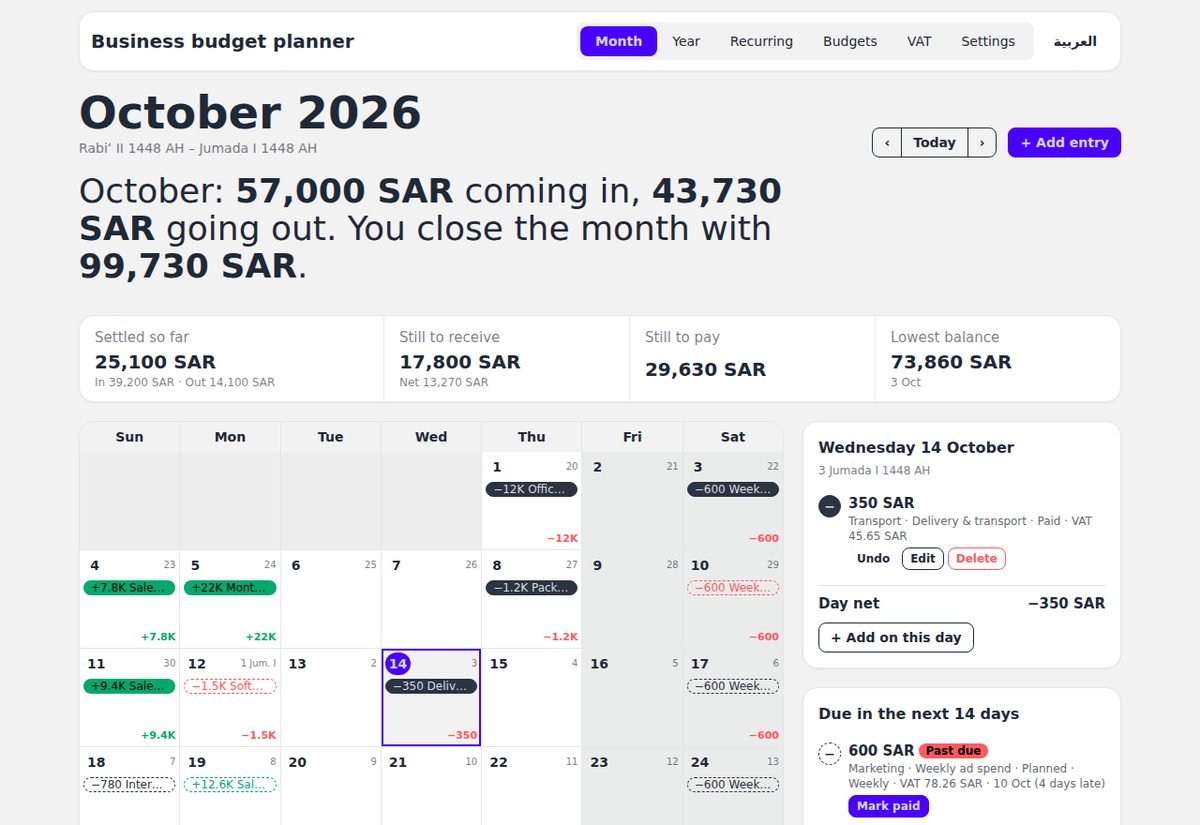
One calendar, the whole picture
Click any day to see its entries, add something new, or mark an item paid.
- Planned and paid entries are styled differently
- Due soon and past due lists on the side
- Daily net shown on every day